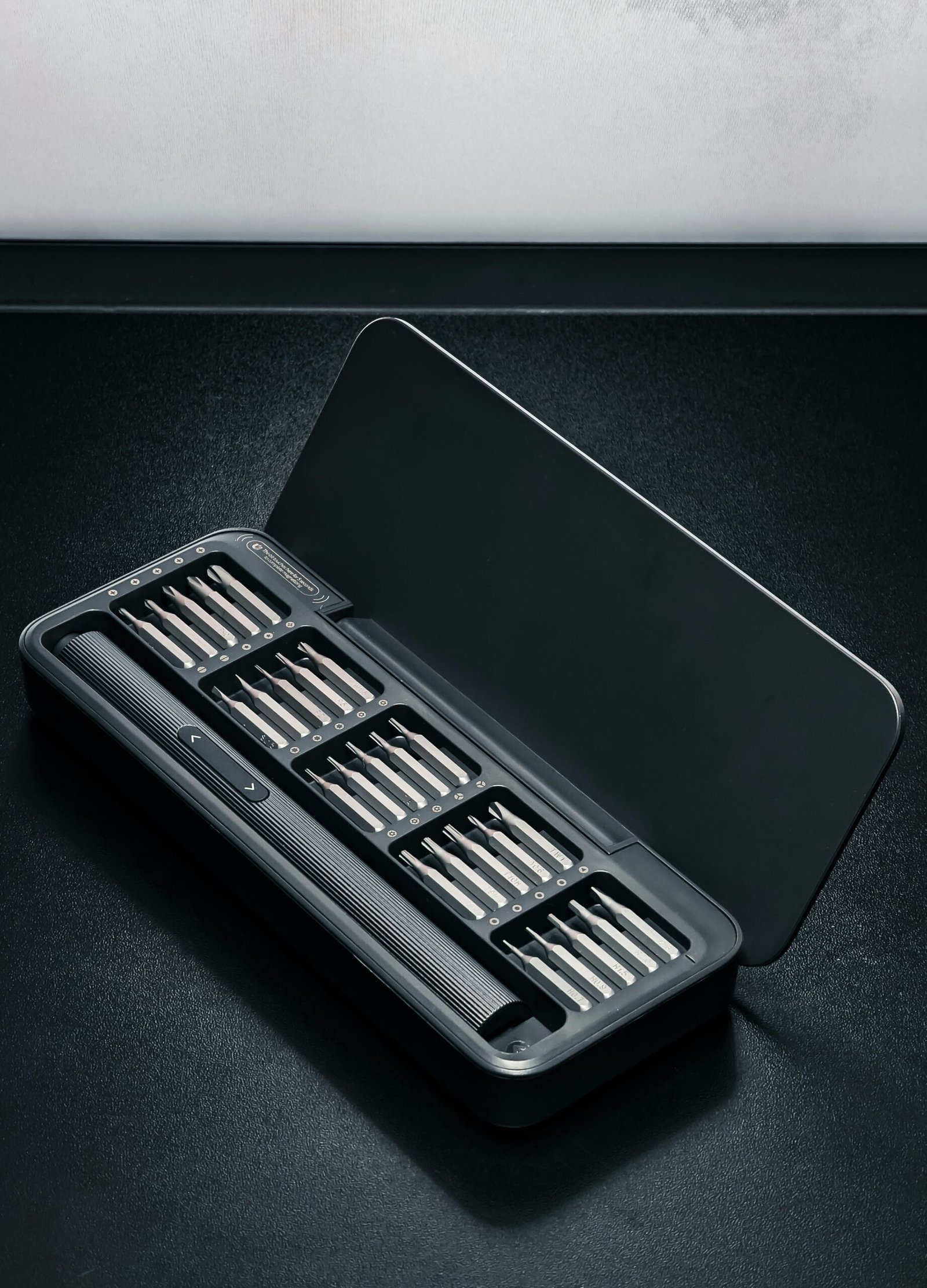
The Ultimate Hybrid Tech Toolbox: Essential Gadgets for Every Remote and Office Worker
Introduction: The New Era of Hybrid Work
The concept of hybrid work has revolutionized the traditional office landscape, merging in-office and remote work environments to create a flexible and adaptive model. As organizations recognize the myriad benefits of this approach, employees are offered the autonomy to choose where and how they work best. This transformation has not only reshaped the daily routines of workers but has also impacted the design and functionality of workspaces, signaling a new era in how we approach professional responsibilities.
In this evolving setting, flexibility and productivity have emerged as paramount considerations. The blend of remote and in-office work necessitates a suitable infrastructure that supports diverse working styles and locations. As such, workers are faced with the challenge of navigating different environments while maintaining efficiency. This adaptation demands a well-thought-out selection of gadgets and tools that cater specifically to the needs of hybrid work—enabling seamless transitions between home offices, co-working spaces, and traditional workplaces.
To succeed in this hybrid model, employees must leverage technology that enhances connectivity, concentration, and overall comfort. Essential gadgets range from communication tools that facilitate real-time interactions, to ergonomic devices that promote health and well-being during prolonged periods of work. Such tools not only support day-to-day tasks but also foster collaboration and engagement among team members, irrespective of their physical location.
Ultimately, the rise of hybrid work highlights the importance of equipping oneself with the right technology—addressing both individual preferences and organizational needs. As we delve deeper into the essential gadgets tailored for this modern workplace, we will uncover the ideal solutions that enhance productivity and redefine the hybrid experience for today’s workforce.
Why You Need a USB-C Hub
In the rapidly evolving realm of hybrid work environments, the USB-C hub has emerged as an essential gadget for both remote and office workers. With the increasing prevalence of USB-C connectors in modern devices, including laptops, smartphones, and peripherals, having a USB-C hub enables seamless connectivity to a variety of accessories. This versatility is crucial for users who require multiple connections to enhance their productivity and streamline workflows.
One of the primary advantages of using a USB-C hub is its ability to consolidate several ports into a single, compact device. Most modern laptops are designed to prioritize slim profiles, reducing the number of available ports. USB-C hubs effectively address this limitation by providing additional USB-A ports, HDMI outputs for video connections, Ethernet ports for reliable internet access, and even SD card readers. This capability allows users to connect multiple devices simultaneously, eliminating the need for constant plugging and unplugging, which can be cumbersome.
Moreover, USB-C hubs are not only about expanding the number of ports; they also facilitate better organization and management of workspace. For hybrid workers, who often shift between home and office environments, keeping a tidy and efficient setup is paramount. By utilizing a USB-C hub, one can ensure all necessary devices are readily accessible, improving both aesthetics and functionality of the workspace.
In essence, the USB-C hub is a versatile tool that enhances the hybrid work experience. Its ability to connect a multitude of devices while maintaining a clean and organized workspace is invaluable. Adopting a USB-C hub can lead to increased productivity, making it a must-have gadget for every remote and office worker aiming to optimize their workflow.
The Importance of a Wireless Headset
In both remote work environments and traditional office settings, effective communication is essential for productivity and collaboration. One of the pivotal tools that enhance this communication is the wireless headset. A wireless headset provides the freedom of movement, allowing users to engage in conversations without being tethered to a desk. This flexibility can lead to increased comfort, as individuals can adjust their positions and work in more natural postures during calls or meetings.
Sound quality is another critical aspect of wireless headsets. Many models today feature advanced audio technology that delivers crisp, clear sound, which is vital in minimizing misunderstandings during discussions. Noise cancellation capabilities are particularly significant; they help to block out background noise, which is often present in bustling office environments or home settings. This focus on sound quality directly contributes to more effective communication and enhances overall meeting experiences.
Comfort is equally important when selecting a wireless headset. Long hours spent on calls can lead to discomfort if the headset is not designed with ergonomic principles in mind. Many modern wireless headsets come equipped with padded ear cushions and adjustable headbands, which help to ensure that users can wear them for extended periods without experiencing fatigue or discomfort. This attention to comfort can be crucial for maintaining concentration during lengthy virtual meetings.
Portability is another advantage that wireless headsets offer. As remote workers often transition between different environments—from cafes to coworking spaces—having a lightweight and easily transportable headset becomes essential. Desktops or laptops can also benefit from the seamless connectivity of wireless devices, making it easier for professionals to switch from personal to professional setups. Overall, the investment in a quality wireless headset can significantly enhance communication and comfort for both remote and office workers.
Choosing the Right Webcam with Mic
In the modern landscape of remote work, selecting the appropriate webcam with a built-in microphone is crucial for effective virtual communication. When evaluating a webcam, video quality stands as a paramount feature. High-definition 1080p webcams are typically recommended as they provide a clear and crisp image, which can significantly enhance professionalism during video meetings. For those desiring an improved experience, 4K options are becoming more accessible, delivering even greater clarity. Beyond resolution, the ability to adjust frame rates also impacts image quality, particularly under varying lighting conditions.
Another essential aspect to consider is the integrated microphone. A webcam equipped with a quality mic can capture audio clearly, facilitating better interactions during virtual meetings. Many modern webcams feature noise-cancellation technology that effectively filters out background sounds, ensuring a more focused communication environment. This function becomes particularly beneficial in noisy settings or shared living spaces, where distractions can detract from the discussion at hand.
When choosing a webcam, ergonomics and usability should not be overlooked. A flexible mounting system allows users to position the camera at an optimal angle, fostering comfortable eye contact. Additionally, selecting a model with easy plug-and-play functionalities enhances user experience and productivity. Many newer webcams support multiple systems, making them compatible with various operating systems and video conferencing platforms. Some even offer software that allows users to adjust settings, such as brightness and contrast, tailoring the camera performance to personal preferences.
Lastly, considering the budget is vital, as the market offers a wide price range. Users can find reliable webcams starting from budget-friendly options, while premium models provide additional features for those seeking enhanced quality. By selecting the right webcam with a built-in microphone, remote workers can ensure they maintain clear, professional communication regardless of their physical location.
The Advantage of a Portable Wi-Fi Hotspot
In today’s fast-paced world, reliable internet connectivity is paramount, particularly for remote workers who may find themselves in diverse locations, from coffee shops to co-working spaces. A portable Wi-Fi hotspot serves as an invaluable tool for maintaining seamless internet access regardless of the situation. One of the most significant advantages of carrying a portable hotspot is the assurance of a consistent and stable internet connection. This reliability allows professionals to conduct video calls, attend online meetings, and access critical files without interruptions, ultimately enhancing productivity.
Furthermore, a portable Wi-Fi hotspot offers flexible data plans that can be tailored to the needs of individual users. Many providers offer options ranging from pay-as-you-go to unlimited data, making it easier for remote workers to control their expenses. This choice is particularly beneficial for those who travel frequently, allowing them to select a plan that best fits their working habits and usage requirements. By utilizing a portable device, workers can avoid the complications of long-term contracts while optimizing their internet costs.
Security is another pivotal aspect to consider when discussing the advantages of a portable Wi-Fi hotspot. Public Wi-Fi networks often pose risks, including data breaches and identity theft, making it crucial for professionals to prioritize their digital security. A personal hotspot significantly reduces these threats by encrypting data during transmission and offering a more secure method of accessing the internet. This protection is essential for workers who handle sensitive information, ensuring their data remains confidential and safeguarded from potential cyber threats.
In conclusion, embracing a portable Wi-Fi hotspot is essential for remote workers seeking a reliable, secure, and flexible internet solution on-the-go. Its range of benefits solidifies its essential role in the modern workplace landscape.
Universal Power Adapters: A Must-Have
In an increasingly digital world, hybrid workers often find themselves juggling multiple devices ranging from laptops and smartphones to tablets and smartwatches. With such a variety of gadgets comes the challenge of managing numerous chargers and cables, which can quickly lead to a chaotic workspace. This is where universal power adapters become an invaluable asset.
A universal power adapter offers compatibility with a wide array of devices, allowing users to charge their gadgets using one convenient solution. This not only streamlines the charging process but also minimizes clutter in home and office environments. By consolidating devices under a single charger, hybrid workers can enjoy a more organized workspace, reducing the stress that comes from tangled cords and misplaced chargers.
Moreover, the portability of universal power adapters is particularly beneficial for those who often transition between remote work and office settings. Many universal adapters feature compact designs and lightweight constructions, making them easy to transport in a laptop bag or even a pocket. This portability allows users to remain productive regardless of their location, ensuring that they can power their devices whenever necessary.
Efficiency is another strong benefit of universal power adapters. With built-in smart technology, many modern models can detect the voltage required for connected devices, ensuring optimal charging without the risk of overloading or damaging them. This makes it easier for hybrid workers to maintain their devices’ longevity while ensuring they remain powered up throughout the day.
In conclusion, universal power adapters serve as an essential tool for hybrid workers, providing an effective solution to minimize clutter, enhance portability, and ensure efficient charging of multiple devices. By integrating a universal power adapter into their toolkit, remote and office workers can optimize their workspace and maintain productivity levels effectively.
Combining Gadgets for Maximum Efficiency
In today’s dynamic work environment, where many employees split their time between remote and office settings, the proper integration of technology has become paramount. The capability to seamlessly transition between hybrid workspaces necessitates a thoughtful combination of gadgets that enhance productivity and ensure smooth workflows. By strategically using essential tools, remote and office workers can create an interconnected workspace that optimizes their efficiency.
One of the first steps to achieving maximum efficiency is establishing a solid foundation with a reliable laptop or tablet. Coupled with high-quality peripherals such as an ergonomic keyboard and a responsive mouse, these devices can significantly enhance the user experience, whether at home or in the office. Utilizing a docking station can further streamline the connection of multiple gadgets, allowing for easier transitions when moving between environments. A docking station provides connectivity for monitors, external drives, and USB devices, making it an invaluable asset for hybrid workers.
Collaboration also plays a critical role in hybrid work setups. Utilizing communication tools like video conferencing software in conjunction with a good-quality webcam and microphone can lead to more effective meetings. Integrating these tools ensures that, whether working remotely or in the office, all team members remain engaged. Additionally, using project management applications helps to track tasks and manage deadlines across both settings, ensuring that work is consistently aligned.
Finally, consider incorporating productivity-enhancing accessories such as noise-canceling headphones and smart assistants. These gadgets not only improve focus but also help manage daily tasks efficiently. By thoughtfully combining these essential devices, remote and office workers can create a cohesive technology ecosystem that fosters productivity and facilitates a smooth transition between work environments.
Budget-Friendly Options: Gear for All Wallets
In today’s world, where many professionals find themselves balancing between remote work and traditional office settings, having the right technology is essential for maintaining productivity. However, outfitting a workspace can often strain financial resources. Fortunately, there are budget-friendly options available that do not compromise on quality. Many companies are now producing reliable gadgets that cater to various financial constraints, ensuring that all workers can have access to essential tools.
For instance, when it comes to webcams, brands like Logitech and Microsoft provide affordable models like the Logitech C270 or the Microsoft LifeCam HD-3000, which delivers excellent video quality without the premium price tag. These webcams are perfect for both remote meetings and online presentations, allowing users to project a professional image without requiring a significant investment.
Similarly, a comfortable and effective keyboard is crucial for long typing sessions. While high-end mechanical keyboards can be pricey, companies such as Keychron and Logitech offer entry-level options that still feature ergonomic designs and responsive keys, ensuring a comfortable typing experience. The Keychron K1 or the Logitech K380 are excellent choices that won’t break the bank.
Moreover, portable chargers are vital for maintaining productivity on the go. Brands like Anker and RAVPower focus on delivering high-capacity chargers at competitive prices, making them a great option for remote workers who rely on their devices throughout the day without access to constant power sources. With numerous models available, one can easily find chargers that suit different needs and budgets.
In addition to these gadgets, various budget-friendly brands provide multifunctional tools that combine several features into one device. As a result, professionals can save both space and money. By researching and selecting from these budget-friendly options, remote and office workers can effectively equip their workspaces without incurring unnecessary costs.
Conclusion: Building Your Perfect Hybrid Tech Toolbox
In today’s evolving work landscape, having the right tools is paramount for enhancing productivity and comfort, especially in a hybrid work environment. Throughout this blog post, we have explored several essential gadgets that equip remote and office workers to succeed in their daily tasks. Each item discussed plays a unique role in making work more efficient and enjoyable, addressing various needs that arise from the blend of in-office and remote work.
For instance, noise-canceling headphones are indispensable for maintaining focus, whether you are at home combating background distractions or in a bustling office setting. Similarly, a reliable ergonomic keyboard and mouse enhance comfort during long hours, promoting healthy posture and reducing fatigue. The importance of a high-definition webcam and ring light cannot be overstated for virtual meetings, as they ensure clear communication and professionalism regardless of location.
As we continue to adapt to hybrid work models, assessing individual needs becomes crucial in selecting the gadgets that best enhance your productivity and comfort. Evaluate which devices resonate most with your workflow, whether it be a portable stand for your laptop, a robust cloud storage solution, or a multi-functional docking station that streamlines connections. Each of these tools contributes to creating a personalized tech toolbox that directly caters to your working style and preferences.
Building your perfect hybrid tech toolbox is not merely about accumulating gadgets; it is about curating tools that foster a conducive work environment. With thoughtful consideration of the discussed items and their benefits, you are better equipped to navigate the challenges of hybrid work. The right combination of technology will undoubtedly facilitate a smoother transition between office and remote settings, empowering you to perform at your best.
